Updates automatically as you type.
Calculated in your browser; your inputs are not sent to us. Privacy
Calculation details
Review the generated output before relying on it.
This tool runs in your browser. Your calculator inputs and results are never transmitted to us or to ad/affiliate partners. Ads and sponsored links may set third-party cookies to serve and measure them, but they never receive your calculation values. If you explicitly save a scenario, its permitted fields stay in local browser storage until you clear them. See our Privacy Policy.
Use this result
Share the current inputs or ask ChatGPT to explain the calculation in context.
More options
What does this calculator estimate?
To convert a decimal to a fraction, count the decimal places, write the digits over a power of ten, then reduce. For 0.375: three places gives 375/1000, and dividing top and bottom by the GCD 125 leaves 3/8. This calculator performs that count, multiply, round, and GCD reduction automatically for any decimal between greater than 0 and 1,000,000.
- A decimal with d digits after the point becomes (digits x 10^d) / 10^d, then the fraction is reduced by the greatest common divisor, so 0.375 becomes 375/1000 = 3/8.
- Whole numbers come back as N/1 and the summary explicitly notes '(a whole number)', e.g. 8 returns 8/1.
- Only positive decimals up to 1,000,000 are accepted; anything at or below zero or above the cap returns a 'Check the inputs' message.
How the decimal to fraction conversion works
The method behind this tool is the place-value definition of a decimal. A number like 0.375 means 3 tenths plus 7 hundredths plus 5 thousandths, which is the integer 375 divided by 1000. The calculator counts the digits after the decimal point (3 here), multiplies your value by 10^3 to get 375, and writes the fraction 375/1000.
Raw place-value fractions are usually not in lowest terms, so the tool finishes with a greatest common divisor reduction. The GCD of 375 and 1000 is 125, and dividing both parts by it collapses 375/1000 to 3/8. Because the GCD is computed with the classic Euclidean algorithm (repeated remainder division), the reduction is exact, not an approximation.
Whole numbers are a degenerate case of the same process. Enter 8 and the digit count after the point is 0, so the fraction is 8/1. The calculator detects denominator 1 and labels the result as a whole number rather than showing a pointless /1 as if it were a real fraction.
Edge cases and honest limitations
The accepted input window is strict: the value must be greater than 0 and no more than 1,000,000. Enter 0, a negative number like -2.5, or 1500000 and you get the 'Enter a positive decimal' message. Note that negatives are rejected entirely, even though decimal to fraction conversion is perfectly well defined for them; if you need -2.5, convert 2.5 (which gives 5/2) and attach the sign yourself.
Because the tool reads the decimal places from your typed string, the number of digits you type is the number of denominator powers of ten used. Typing 0.100 gives 100/1000, which reduces to 1/10, the same answer as 0.1; trailing zeros are harmless. But precision beyond what JavaScript stores is impossible: JavaScript numbers carry roughly 15 to 17 significant digits, so a 25-digit decimal like 0.12345678901234567890123 silently becomes the nearest representable double before the math even starts.
There are two rounding behaviors worth knowing. First, the numerator is produced with Math.round, which rounds half cases toward positive infinity: a product that lands exactly on 375.5 becomes 376, not 375. Second, the intermediate product is a binary floating point number, so a decimal you typed exactly (like 0.1) is stored as 0.1000000000000000055511151231257827; the string-based digit count and the round step usually absorb this, but extremely long decimals can drift by one in the last digit. This is a JavaScript property, not a bug in the arithmetic.
Practical use: when a fraction beats a decimal
Fractions are the native language of measurement in several trades. A tape measure graduated in sixteenths cannot show 0.5625 directly, but the calculator converts it cleanly: 5625/10000 reduces by GCD 625 to 9/16. Woodworkers, machinists, and plumbers hit this constantly when a digital caliper reads 0.4375 and the stock is specified as 7/16.
Cooking and medication dosing are similar. A recipe scaling tool that outputs 0.6666667 cups is unhelpful at the counter, but the conversion lands on 2/3 once the repeating decimal is rounded to seven places: 6666667/10000000 has GCD 1, so it stays as-is, which is exactly why rounding the input to something short like 0.667 first (giving 667/1000) is often the more usable play. Match the input precision to the precision you actually need.
A practical workflow: round your measurement to a sensible number of decimal places first, convert, then sanity-check the denominator. If you measure 0.624 inches and want the nearest sixteenth, converting 0.625 (the rounded value) gives 5/8, while converting the raw 0.624 gives 78/125, a fraction no tape measure can express. Rounding before converting is usually the difference between a useful fraction and a mathematical curiosity.
How this calculator works
Formula
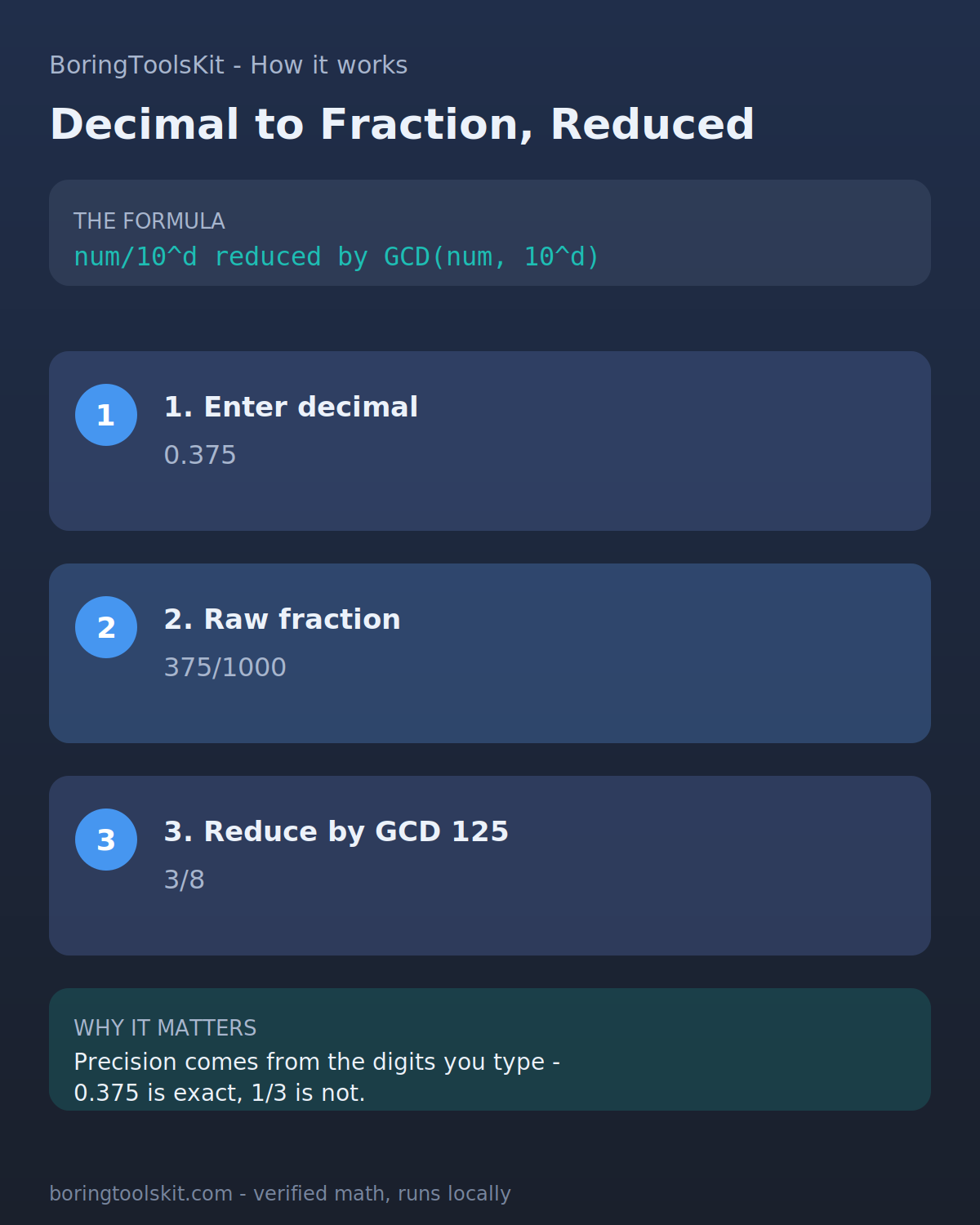
The calculator reads your decimal, counts the digits after the decimal point (say d of them), multiplies the value by 10^d, rounds that product to the nearest integer to get the numerator, sets the denominator to 10^d, then divides both by their greatest common divisor until the fraction is fully reduced. If the reduced denominator is 1 the value was a whole number. Inputs are rejected unless the decimal is greater than 0 and at most 1,000,000.
Worked example
Take 0.375. The string '0.375' has 3 digits after the decimal point, so the tool computes 0.375 x 10^3 = 375 and rounds it: numerator = Math.round(375) = 375, denominator = 10^3 = 1000. The greatest common divisor of 375 and 1000 is 125 (375 = 3 x 125, 1000 = 8 x 125). Dividing both by 125 gives 3/8, and the result displays '0.375 simplified' with the hero value 3/8. If you instead entered 8 (a whole number), the digits-after-point count is 0, so numerator = Math.round(8 x 1) = 8, denominator = 1, gcd = 1, and the output is 8/1 flagged as '(a whole number)'.
Assumptions to verify
- Inputs outside (0, 1000000] are rejected: zero, negatives, and values above the million cap all return the 'Enter a positive decimal' invalid message, so negative decimals cannot be converted directly.
- The numerator is computed with Math.round on value x 10^d, which rounds exact .5 ties toward positive infinity (Math.round(2.5) = 3, Math.round(-2.5) = -2), and the product itself is a binary double, so very long typed decimals are limited to JavaScript's roughly 15 significant digits of precision.
- The decimal place count comes from splitting the typed string on the point, so trailing zeros add denominator powers but cancel in GCD reduction; a whole number input yields N/1 and is labeled '(a whole number)'.
Frequently asked questions
How do you convert a decimal to a fraction?
Count the digits after the decimal point, write all the digits as the numerator over 10 raised to that count, then reduce by dividing both numbers by their greatest common divisor. For 0.375, three places gives 375/1000, and GCD 125 reduces it to 3/8.
How do you reduce a fraction to lowest terms?
Find the greatest common divisor of the numerator and denominator and divide both by it. The calculator uses the Euclidean algorithm, so 375/1000 becomes 3/8 in one exact step. A fraction is fully reduced when the GCD is 1.
What fraction is 0.5 as a decimal?
0.5 has one decimal place, so it is 5/10, which reduces by GCD 5 to 1/2. This calculator returns 1/2 for the input 0.5.
Can this calculator convert negative decimals to fractions?
No, the input must be greater than 0 and at most 1,000,000; negatives return an error message. As a workaround, drop the sign, convert the positive value (for example 2.5 gives 5/2), then attach the minus sign to get -5/2.
Why is 0.1 sometimes shown as not exactly one tenth in programming?
JavaScript and most languages store numbers in binary floating point, and 0.1 has no exact binary representation, so it is stored as approximately 0.1000000000000000055. This calculator reads the decimal places from your typed string and rounds the numerator, so ordinary inputs like 0.1 still produce the exact fraction 1/10.
What is a significant figure?
A significant figure is a digit that carries meaning in a number: all nonzero digits plus zeros between them or as measured trailing decimals. In 0.004560 the significant figures are 4, 5, 6, and the trailing 0, giving four. JavaScript numbers hold about 15 significant digits, which caps the precision of very long decimal inputs here.
How do you find the nearest fraction like 1/16 for a measurement?
Round your decimal to a precision that matches the fraction first, then convert. To get the nearest sixteenth of 0.624 inches, round to 0.625 and convert: 625/1000 reduces to 5/8, which is 10/16. Converting the raw 0.624 instead gives 78/125, which no tape measure shows.
Cite this tool
BoringToolsKit. “Decimal to Fraction Calculator.” boringtoolskit.com/decimal-to-fraction-calculator/ (reviewed September 2026). Free to reference in articles, syllabi, and answer posts with a link.
Privacy: Inputs and results stay in this browser. Any future sponsored recommendation or advertisement will be clearly labeled and kept separate from the calculation.