Updates automatically as you type.
Calculated in your browser; your inputs are not sent to us. Privacy
Calculation details
Review the generated output before relying on it.
This tool runs in your browser. Your calculator inputs and results are never transmitted to us or to ad/affiliate partners. Ads and sponsored links may set third-party cookies to serve and measure them, but they never receive your calculation values. If you explicitly save a scenario, its permitted fields stay in local browser storage until you clear them. See our Privacy Policy.
Use this result
Share the current inputs or ask ChatGPT to explain the calculation in context.
More options
What does this calculator estimate?
Divide the numerator by the denominator to get a decimal. For 3/8: 3 / 8 = 0.375, which this calculator shows as 0.3750, about 37.5%. The result is always displayed to 4 decimal places, so 1/3 appears as 0.3333, a truncated value rather than the exact repeating decimal 0.333...
- The calculator performs one division: decimal = numerator / denominator, then formats the result with 4 decimal places.
- An approximate percentage is shown alongside, rounded to 1 decimal place, so 3/8 shows 37.5%.
- A denominator of 0 is rejected before any calculation runs, because division by zero is undefined.
How the fraction to decimal conversion works
The conversion is a single division. The numerator and denominator are read from the two input fields, converted to numbers, and then divided: decimal = numerator / denominator. Enter 3 and 8 and the raw result is 0.375, displayed as 0.3750 because the output is always formatted to exactly 4 decimal places. Enter 1 and 4 and you get 0.25 shown as 0.2500.
Alongside the decimal, the tool estimates a percentage by multiplying by 100 and rounding to 1 decimal place. So 3/8 = 0.375 becomes 37.5%, 5/8 = 0.625 becomes 62.5%, and 2/3 = 0.6666666666666666 becomes 66.7%. The percentage inherits the truncation of the underlying division, so it is labeled with an approximately sign rather than presented as exact.
The inputs are read leniently: an empty or non-numeric field falls back to 0 rather than throwing an error. That means leaving the numerator blank and entering 4 in the denominator quietly computes 0 / 4 = 0.0000. The only hard stop is a denominator of exactly 0, which is caught before the division runs and returns a clear error message instead of the JavaScript values Infinity or NaN.
Limitations and edge cases
The 4-decimal display is a format, not a guarantee of precision. The tool computes in standard binary floating point, so results are exact only when the fraction has a short terminating decimal. 1/8 = 0.125 displays exactly as 0.1250. But 1/3 is 0.3333... forever, and the tool shows 0.3333, a truncated value. Treat the trailing digits as rounded, and do not use the display to decide whether a fraction terminates or repeats.
The repeating-decimal note is a blunt instrument. It is appended whenever the denominator is exactly 8 or exactly 3, regardless of the numerator. That is correct for 1/3 (0.3333 repeating) but misleading for 8/8 = 1.0000, which is a whole number, and for 3/8 = 0.3750, which terminates cleanly. The note is a heuristic hint, not a mathematical verdict on the actual decimal.
Denominators like 6, 7, 9, and 11 produce repeating decimals too (1/6 = 0.16666... shows as 0.1667, 1/7 = 0.142857... shows as 0.1429), but the tool does not flag them. Very large inputs also lose meaningful digits: JavaScript numbers carry about 15 to 17 significant figures, so a fraction of two 10-digit integers will still return a 4-decimal result, but the last displayed digit may not survive exact rational arithmetic. Mixed numbers and fractions with units are not supported; enter an improper fraction like 7/4 as 7 and 4 to get 1.7500.
Using it in practice
The most common use is checking homework or recipes where a fraction needs a decimal for a calculator or spreadsheet. 3/4 = 0.7500 (75%), 1/5 = 0.2000 (20%), and 7/8 = 0.8750 (87.5%) are the kind of quick confirmations the tool handles in one step. For woodworking and construction fractions like 5/16, the tool gives 0.3125, which is exact because 16 is a power of 2.
The percentage column is handy for grades and statistics. A score of 17 out of 20 is 17/20 = 0.8500, shown as approximately 85%. A poll result of 341 out of 900 is 341/900 = 0.3788888... displayed as 0.3789, about 37.9%. Keep in mind the percentage is rounded to 1 decimal place, so it is an approximation of the fraction, not a new exact value.
For fractions that repeat, decide how many digits your downstream task actually needs and cross-check with a rounding calculator when precision matters. If you need to go the other direction, converting a decimal like 0.625 back into 5/8, use the decimal to fraction calculator instead. And if the denominator you are testing gives 0, double check you did not transpose the inputs: 0/5 is 0, but 5/0 is undefined, and only the second case triggers the error message.
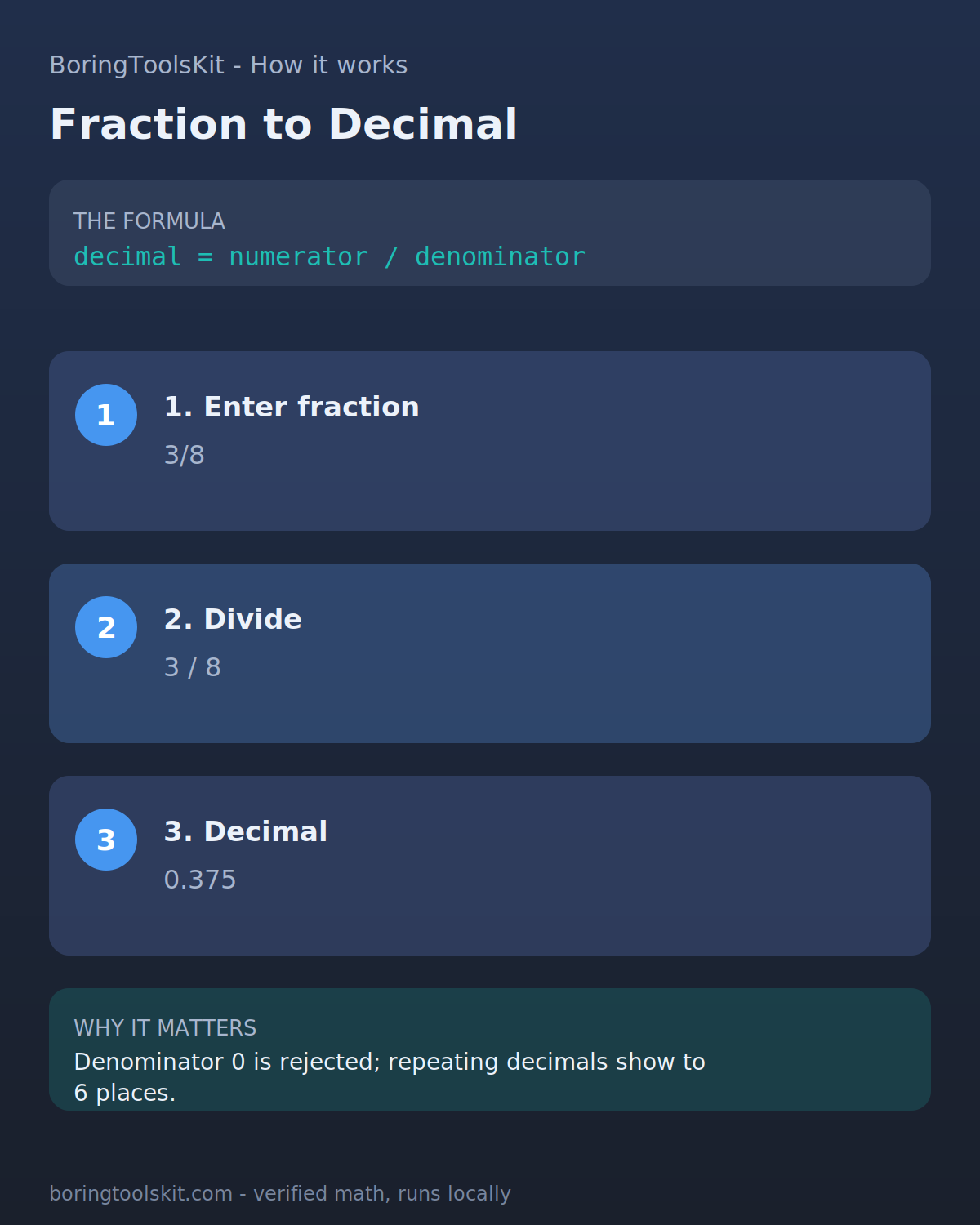
How this calculator works
Formula
decimal = numerator / denominator, displayed to 4 decimal places, with an approximate percentage shown to 1 decimal place
Worked example
Inputs: numerator = 3, denominator = 8. Step 1: the tool reads both inputs as numbers (empty or invalid input falls back to 0). Step 2: divide: 3 / 8 = 0.375. Step 3: format the decimal with JavaScript toFixed(4): 0.3750. Step 4: convert to a percentage: 0.375 x 100 = 37.5, displayed as 37.5%. Step 5: because the denominator equals 8, the tool appends its repeating-decimal note, even though 1/8 = 0.125 style eighths actually terminate. Result shown: Decimal 0.3750, and 3 / 8 = 0.3750, approximately 37.5% - repeating decimal, truncated.
Assumptions to verify
- Display precision is fixed at 4 decimal places via JavaScript toFixed(4), which rounds in binary floating point; values like 0.0615 can display as 0.0615 or 0.0614 depending on the nearest binary double, and precision beyond about 15 significant figures is not guaranteed.
- The percentage shown is d x 100 rounded to 1 decimal place with toFixed(1), so it is an approximation; 2/3 displays as 66.7% even though the exact value is 66.666...%.
- The repeating-decimal note triggers whenever the denominator is exactly 8 or exactly 3, independent of the numerator and independent of whether the decimal actually repeats, so it appears on 3/8 (0.375, terminating) and on 8/8 (1.0000) as well as on 1/3. Empty or non-numeric inputs are treated as 0, and only a denominator of exactly 0 is rejected.
Frequently asked questions
How do you convert a fraction to a decimal?
Divide the numerator by the denominator. For 3/8, compute 3 / 8 = 0.375. The calculator does this division and shows the result to 4 decimal places, such as 0.3750.
How do you round a decimal to a given number of places?
Look at the digit immediately after the last place you want to keep: if it is 5 or more, round the last kept digit up, otherwise leave it. For example, 0.375 rounded to 2 decimal places is 0.38, and 0.3333 rounded to 3 places is 0.333.
What is a significant figure?
A significant figure is a digit that carries meaning in a number: all nonzero digits plus zeros between them or as measured trailing zeros. The value 0.3750 has 4 significant figures; leading zeros like the 0 in 0.125 do not count.
Why does 1/3 show as 0.3333 instead of repeating?
One third is the repeating decimal 0.333..., which never ends, so it cannot be displayed exactly. This calculator shows the value truncated to 4 decimal places, 0.3333, which is accurate to within 0.0001 of the true value.
What happens if the denominator is 0?
Division by zero is undefined, so the calculator rejects the input and shows an error message instead of a decimal. Enter any nonzero denominator to get a result; 0/5 is valid and equals 0.
How do I convert a decimal back to a fraction?
Count the decimal places and write the digits over a power of 10, then reduce: 0.375 = 375/1000, which reduces to 3/8 by dividing both by 125. Use the linked decimal to fraction calculator to do this automatically.
Is the percentage shown exact?
No. The percentage is the decimal multiplied by 100 and rounded to 1 decimal place, so 17/20 shows as 85.0% exactly, but 2/3 shows as 66.7% rather than 66.666...%. Treat it as a one-decimal approximation of the fraction.
Cite this tool
BoringToolsKit. “Fraction to Decimal Calculator.” boringtoolskit.com/fraction-to-decimal-calculator/ (reviewed September 2026). Free to reference in articles, syllabi, and answer posts with a link.
Privacy: Inputs and results stay in this browser. Any future sponsored recommendation or advertisement will be clearly labeled and kept separate from the calculation.