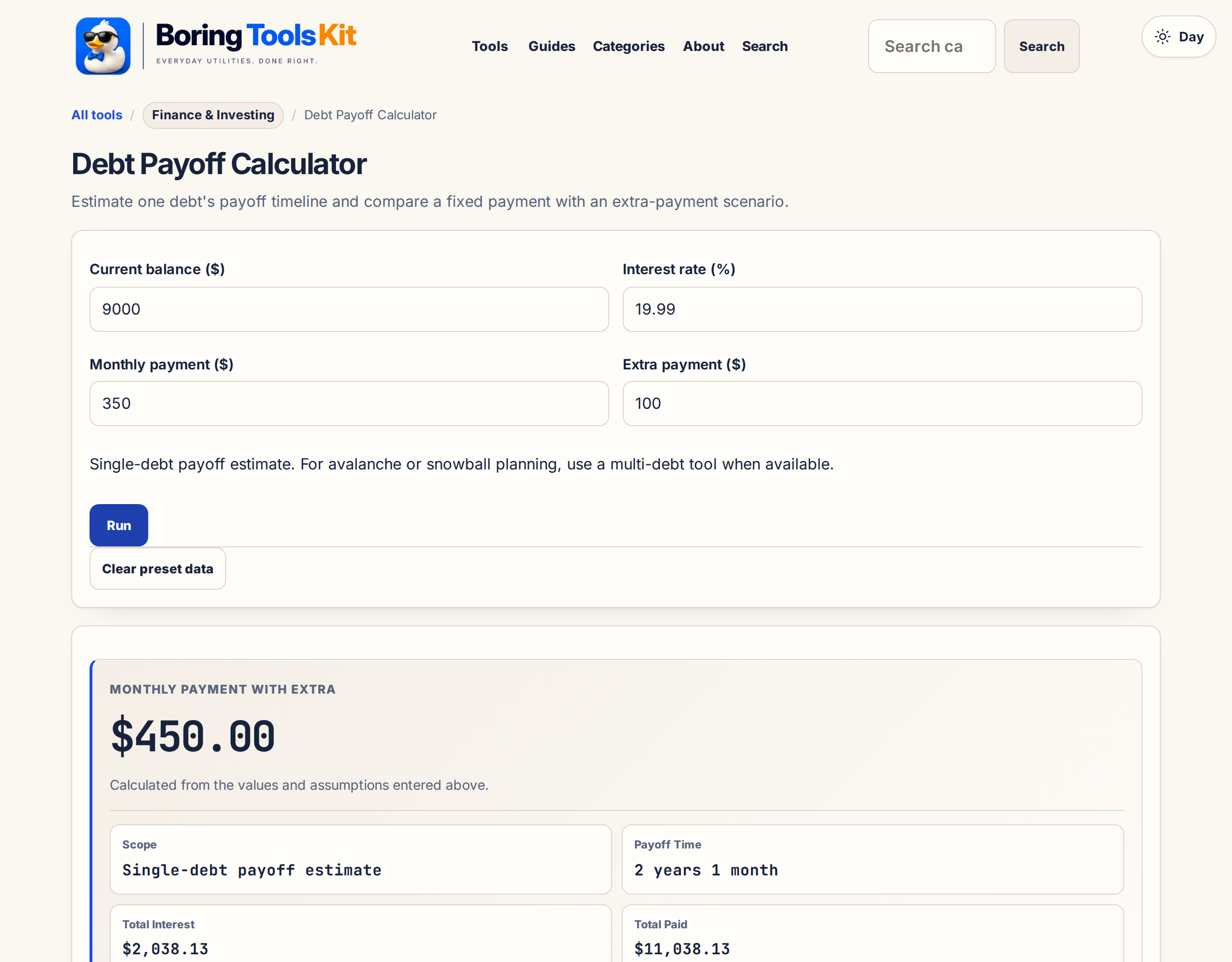
Single-debt payoff estimate. For avalanche or snowball planning, use a multi-debt tool when available.
Updates automatically as you type.
Calculated in your browser; your inputs are not sent to us. Privacy
Calculation details
Planning estimate only, not financial, tax, or legal advice. Verify assumptions and current rules before making decisions.
This tool runs in your browser. Your calculator inputs and results are never transmitted to us or to ad/affiliate partners. Ads and sponsored links may set third-party cookies to serve and measure them, but they never receive your calculation values. If you explicitly save a scenario, its permitted fields stay in local browser storage until you clear them. See our Privacy Policy.
Use this result
Share the current inputs or ask ChatGPT to explain the calculation in context.
More options
What does this calculator estimate?
Debt payoff calculator: see how long a loan or credit card takes to clear and how extra monthly payments cut interest and shorten the payoff date. Free.
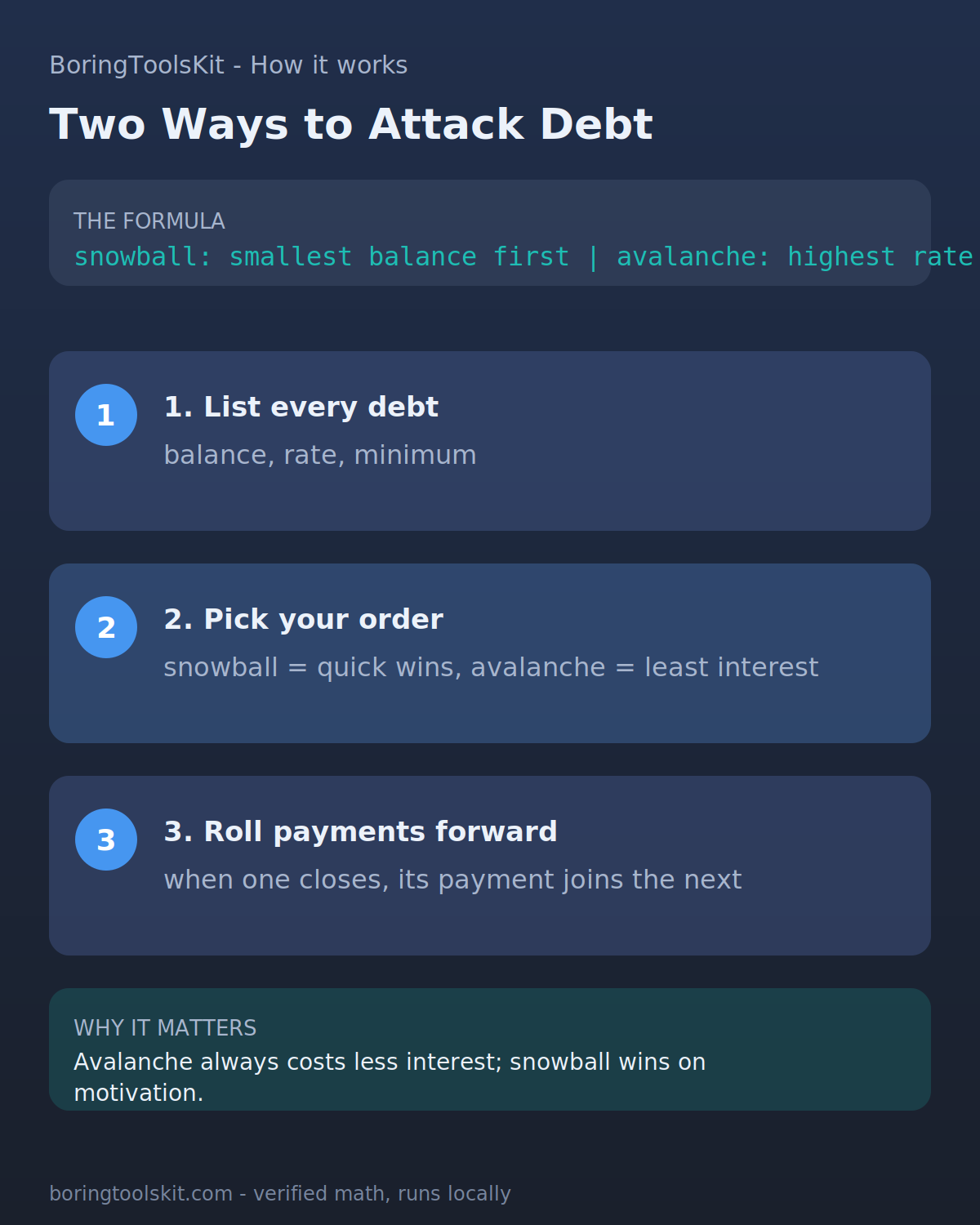
The Snowball Order You Feel versus the Avalanche Order You Save
Two payoff orders compete for most households' attention, and they are not the same method. The avalanche order puts each extra dollar toward the highest interest rate first, which mathematically minimizes the interest paid and produces the lowest total cost. The snowball order puts each extra dollar toward the smallest balance first, which produces a paid-off account sooner and is easier to sustain for people who need visible wins to keep the plan alive.
The calculator does not choose a method for you. What it does show is the effect of one debt being paid off early and the interest saved by that acceleration. To compare methods against your own list of debts, run the calculator with each debt's balance and rate separately and note two things: the payoff date from throwing your extra amount at that account, and the interest saved on its own. The debt with the highest rate usually wins the total-interest comparison, which is the avalanche case. The debt with the smallest balance usually wins the fastest-first-win comparison, which is the snowball case. In many real examples these pick the same debt, in some they do not, and the difference between the two orders is often a few hundred to a few thousand dollars over the whole plan. When a household has a large rate difference, such as a 24 percent card next to a 5 percent car loan, the avalanche pick is not close. When rates are similar, the psychological benefit of clearing a small account first is worth considering on its own merits.
What a $200/month Extra Payment Actually Buys at Different Rates
The interest rate attached to the debt determines how much an extra dollar of payment is worth, and it is worth seeing the same extra amount applied at different rates. Put $200 extra per month toward a debt and the saving scales with the rate and the balance. On a $9,000 balance at 22 percent, an extra $200 per month shortens the payoff substantially and saves roughly several thousand dollars over the life of the debt compared with paying the minimum. On a $9,000 car loan at 4 percent, the same extra $200 shortens the term, but it saves a few hundred dollars, not a few thousand, because the interest accrual is slower.
This is a structural point about how the calculator's output should be read: the same acceleration has a dramatically different dollar value depending on the rate, which is why the math of ordering matters. It also gives a useful yardstick for refinancing decisions. A balance transfer fee or a refinance fee is worth paying when the drop in rate outweighs the fee; the calculator cannot decide that for you, but the way to make the decision is to run the balance with the current rate, run it again with the new rate plus the fee paid upfront, and compare the two totals. If the payoff date or interest total under the refinance looks meaningfully better, the fee was worth paying; if the results are within a couple of hundred dollars of each other, the convenience of moving debt to a new account is probably not worth the hassle. Both runs can be done directly here, which is the practical use of the calculator beyond a single scenario.
Promotional APRs, Rate Changes, and the Assumptions This Calculator Carries
The calculator assumes a single flat interest rate over the whole payoff period. Real credit cards rarely behave that way. A card that carried a promotional APR on purchases or balance transfers for a defined term will revert to the standard rate once the term expires, sometimes all at once. If the promo ends partway through the payoff window, the arithmetic shifts: interest accrual jumps from, say, 0 percent to 24 percent at a specific month, and the remaining balance becomes substantially more expensive to carry. Calculating an accurate payoff under those terms means running two separate scenarios, one before the promo expires and one after, with the ending balance of the first as the starting balance of the second.
Standard APRs also move. Most credit card rates track the prime rate, which means when the Federal Reserve moves rates, the card's rate moves in step, and your payment buys less principal than it did the previous month. Fixed-rate installment debt such as a car loan or a personal loan does not carry this problem; the rate is typically locked for the term. What the calculator can do is show you the cost of a rate increase retroactively: enter the balance you have today, enter the rate you expect once your promo is over or your variable rate moves, and see whether a modestly accelerated payment still looks worthwhile under the higher rate. If it does, the payoff plan is robust to the rate change. If the acceleration only saves money under the old rate, the plan is fragile and worth revisiting before you bank on it.
Where the Math Stops Matching a Real Card Statement
There are several places where the simple calculation this calculator runs diverge from what a real statement shows, and it is worth being specific about them rather than leaving them unstated. Interest on most credit cards is computed daily on the average daily balance for the cycle, not monthly on the ending balance. If you make a large purchase mid-month, interest begins accruing on that purchase immediately (unless there is a grace period on new purchases, which usually requires paying the prior balance in full). The calculator's monthly compounding assumption and a card issuer's daily-balance method usually land within a handful of dollars on moderate balances, but they do not match exactly.
Fees are the second gap. Annual fees, late fees, returned payment fees, and cash advance fees all sit outside the interest calculation because they are fees, not interest charges. On an account that triggers late fees periodically, the real cost of the debt is higher than the interest-only output. The third gap is the minimum payment definition: some issuers calculate the minimum as a percentage of the balance, some as a greater of a dollar floor or a percentage, and some add interest and fees to the percentage. If the calculator's assumed payment differs from your card's actual minimum, the payoff date moves. None of these are fatal to using the tool; the comparison runs and accelerate-payment decisions it drives are robust to all three, because the same assumptions apply on both sides. What they break is any expectation that the output equals the number your statement will show on a specific day, which is a promise no calculator of this kind can keep.
How this calculator works
Formula
Each month interest = balance x APR/12; payment first covers interest, remainder reduces principal; the tool compares your payment plus extra against the base payment.
Worked example
A $15,000 balance at 19.9% APR: paying $500 a month (including $100 extra) pays off in 3 years 6 months with $5,920.65 interest, 1 year 6 months sooner than the $400 base payment (5 years).
Assumptions to verify
- This page models one debt only. It is not a full avalanche/snowball planner.
- APR, payment, fees, and new purchases are held constant.
- If payment does not exceed monthly interest, the balance may never amortize.
Frequently asked questions
Is this a full avalanche calculator?
No. A true avalanche/snowball calculator needs multiple debts. This tool is a single-debt payoff estimator.
What should I compare?
Compare base payment versus extra payment and review total interest saved.
Does it include new purchases or late fees?
No. Add those separately or treat this as a planning-only estimate.
Cite this tool
BoringToolsKit. “Debt Payoff Calculator.” boringtoolskit.com/debt-payoff/. Free to reference in articles, syllabi, and answer posts with a link.
Privacy: Inputs and results stay in this browser. Any future sponsored recommendation or advertisement will be clearly labeled and kept separate from the calculation.