Sitemap Validator

Validate XML sitemap and robots basics.

Client-side only Nothing stored No account needed
Updated for 2026 Last verified July 2026

Validation runs locally. For security and CORS reasons this tool validates pasted XML rather than fetching arbitrary remote URLs.

Results update when you run the tool.

Output will appear here.
Ask an AI to explain this result
Share this result

This tool processes the selected input in your browser. Review the output before relying on it; format and file behavior can vary by browser and source data.

Your inputs and results stay in this browser. This page may send privacy-bounded aggregate interaction events described in Privacy; it does not send your entered values or result contents.

Use this result

Share the current inputs or ask ChatGPT to explain the calculation in context.

More options
Report a calculation issue
Direct answer

What does this calculator estimate?

A sitemap with 50 url-loc entries validates as well-formed XML and lists all 50 URLs for review. Invalid XML and missing loc elements are flagged.

  • A valid sitemap is well-formed XML with a urlset root (Wikipedia).
  • Each URL entry must contain a loc element.
  • Sitemaps help search engines discover pages but do not guarantee indexing.

Why validate sitemaps

Search engines use XML sitemaps to discover pages, and malformed XML can cause the whole sitemap to be rejected. Validating before submission catches errors early and confirms every URL you meant to include is listed.

Limitations to watch for

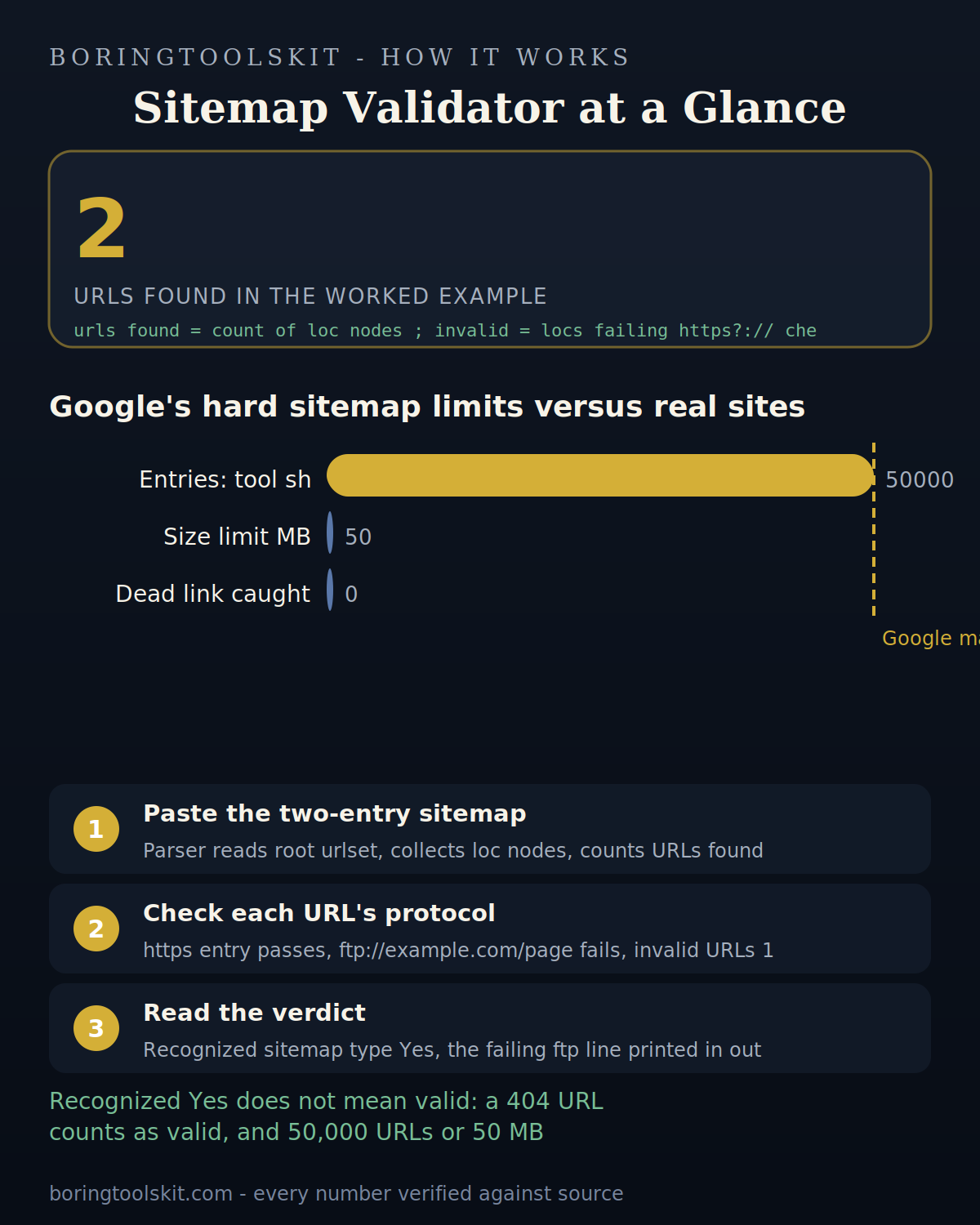
Well-formed XML isn't the same as a valid sitemap: the tool checks parsing and loc elements, but search engines also enforce limits (50,000 URLs, 50 MB) and require correct namespaces. Dead URLs in the sitemap still return 404s.

How to use it in practice

Paste the raw XML from your sitemap file, check the listed URLs, and fix any parser errors. Submit only validated sitemaps to Search Console. Re-validate after content changes.

['Paste the sitemap XML.', 'The tool verifies it parses and lists all URLs.', 'Fix flagged errors and resubmit.']

Transparent methodology

How this calculator works

Reviewed 2026-08-25 · BoringToolsKit Editorial Team

Formula

Parses the sitemap XML, checks it's well-formed (no parser errors), verifies the root element, and lists every <loc> URL. Invalid XML and missing URL elements are flagged.

Worked example

A sitemap with 50 <url><loc> entries validates as well-formed XML and lists all 50 URLs for review.

Assumptions to verify

  • The sitemap uses standard sitemaps.org XML.
  • The user pastes the complete XML document.
  • Search-engine limits are checked separately.

Frequently asked questions

How do I validate a sitemap?

Paste the XML — the tool checks that it parses cleanly and lists every URL in the <loc> elements.

What is a sitemap?

An XML file listing the URLs on a site that you want search engines to crawl, with optional metadata like lastmod and priority.

What errors does it catch?

Malformed XML (unclosed tags, bad escapes) and missing/empty loc elements.

Does valid XML mean my sitemap is accepted?

No — search engines also enforce URL limits (50,000) and size limits (50 MB), and the URLs themselves must be live.

How often should I update it?

After adding or removing significant pages. Search engines re-fetch sitemaps periodically.

Where do I submit it?

Google Search Console and Bing Webmaster Tools both accept sitemap submissions.

What is the sitemap index?

A sitemap that lists multiple sitemap files — used when a site has more than 50,000 URLs.

Cite this tool

BoringToolsKit. “Sitemap Validator.” boringtoolskit.com/sitemap-validate/ (reviewed 2026-08-25). Free to reference in articles, syllabi, and answer posts with a link.

Privacy: Inputs and results stay in this browser. Any future sponsored recommendation or advertisement will be clearly labeled and kept separate from the calculation.