Audio Time Stretch Calculator

Calculate the new duration when audio playback speed changes.

Results will appear here.
Calculation details
Every figure above is calculated locally in your browser from the assumptions shown. No inputs are sent anywhere. See the methodology section below for the formulas used.
Use this resultShare the current inputs, or ask ChatGPT to explain the calculation in context.
Ask an AI to explain this result
Share this result

Review the generated output before relying on it.

This tool runs in your browser. Your calculator inputs and results are never transmitted to us or to ad/affiliate partners. Ads and sponsored links may set third-party cookies to serve and measure them, but they never receive your calculation values. If you explicitly save a scenario, its permitted fields stay in local browser storage until you clear them. See our Privacy Policy.

Use this result

Share the current inputs or ask ChatGPT to explain the calculation in context.

More options
Report a calculation issue
Direct answer

What does this calculator estimate?

A 120-second track at 0.75x speed becomes 160 seconds, a 33.3 percent increase; at 1.25x it becomes 96 seconds, a 20 percent decrease. New duration = original / playback speed.

  • New duration = original duration / playback speed.
  • Time change percent = (1 / speed - 1) x 100.
  • Slower playback deepens pitch unless pitch correction is applied.

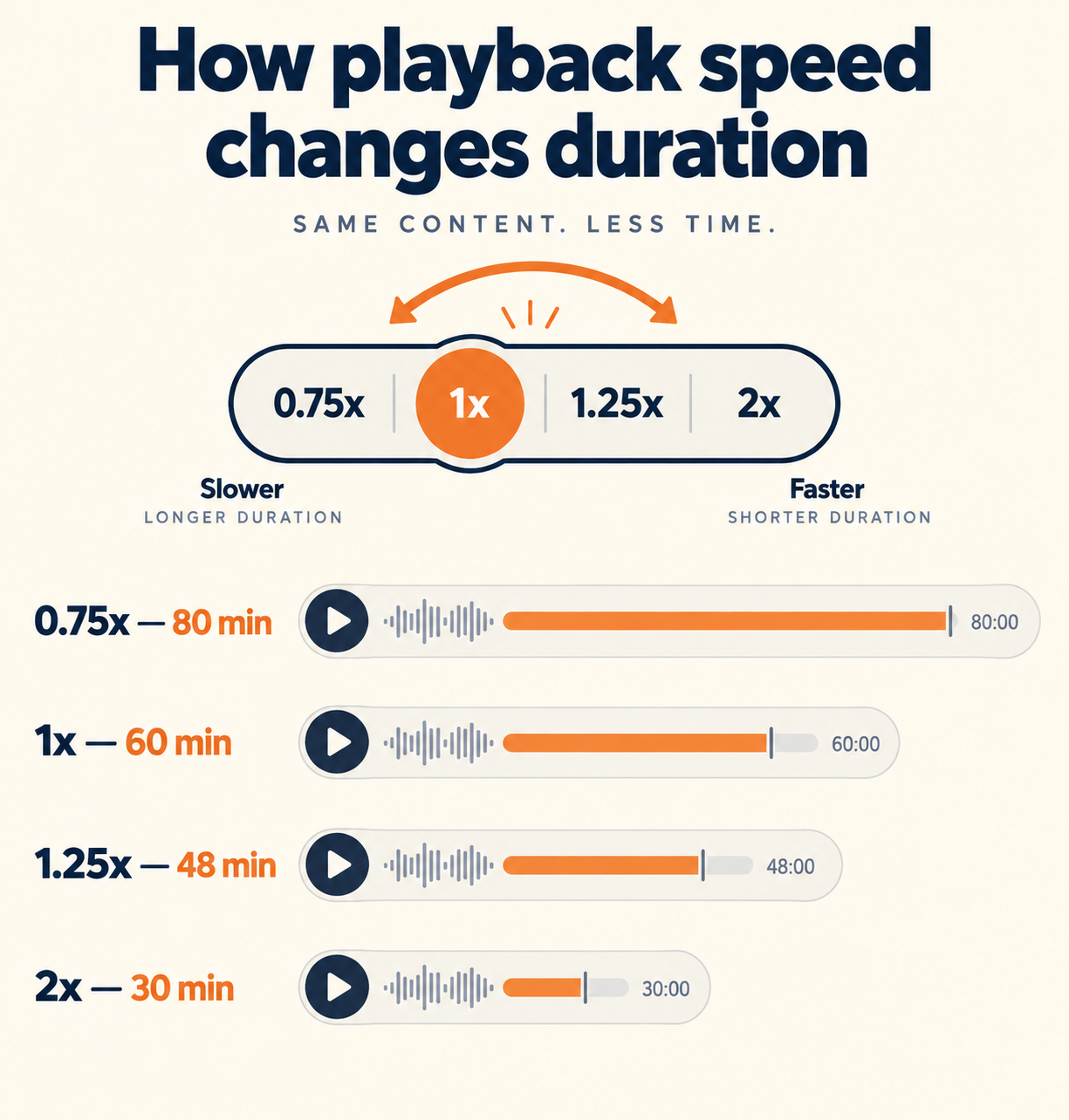
How playback speed changes duration

Playback speed multiplies the rate of the audio: 2× halves the duration, 0.5× doubles it. Changing speed naively also changes pitch — proper time-stretch algorithms (like phase vocoders) change duration while preserving pitch.

Limitations to watch for

The math is exact for duration, but quality depends on the player or editor: simple speed changes shift pitch (chipmunk effect), while time-stretch processing can add artifacts at extreme ratios. Very long or extreme speeds (4×+) degrade noticeably.

How to use it in practice

Use it to plan podcast editing (remove pauses, tighten episodes), video narration, or study playback. For pitch-preserving stretch, use a DAW or editor with time-stretch rather than a simple speed control.

['Enter the original clip duration in seconds.', 'Enter the playback speed (e.g., 1.0, 1.25, 0.75).', 'The tool computes the new duration and percentage change.']

Transparent methodology

How this calculator works

Reviewed 2026-08-25 · BoringToolsKit Editorial Team

Formula

New duration = original duration ÷ playback speed. Time change % = (1 ÷ speed − 1) × 100: a speed above 1.0 shortens the clip, below 1.0 lengthens it.

Worked example

A 120-second clip played at 1.25× speed: new duration = 120 ÷ 1.25 = 96 seconds — 20% shorter.

Assumptions to verify

  • Playback speed is constant across the clip.
  • The player applies the speed uniformly.
  • Duration math ignores fade-in/out trimming.

Frequently asked questions

How does playback speed affect duration?

New duration = original ÷ speed. A 2-minute clip at 1.5× becomes 80 seconds.

What's the difference between speed change and time stretch?

Speed change alters pitch along with duration; time stretch preserves pitch while changing duration. Podcast and video editors use time-stretch algorithms.

How much time does 1.25× save?

20% — a 30-minute episode becomes 24 minutes. At 1.5× it's 33% shorter.

Why does audio sound chipmunk-like at higher speeds?

Simple speed controls raise the pitch. Time-stretch processing corrects this but can add artifacts at extreme speeds.

What speeds are safe for listening?

1.25–1.5× is comfortable for most speech; 2× works for many listeners. Beyond 2×, comprehension drops and artifacts grow.

Can I use this for video?

Yes — the same math applies to video playback duration. Frame-rate and audio sync are handled by the player.

Is the duration math exact?

Yes — it's a simple ratio. Quality of the result depends on the player's speed algorithm.

Cite this tool

BoringToolsKit. “Audio Time Stretch Calculator.” boringtoolskit.com/audio-time-stretch-calculator/ (reviewed 2026-08-25). Free to reference in articles, syllabi, and answer posts with a link.

Privacy: Inputs and results stay in this browser. Any future sponsored recommendation or advertisement will be clearly labeled and kept separate from the calculation.