Salary Raise Calculator

Convert a pay raise into new annual, monthly, weekly, and hourly compensation.

Results will appear here.
Calculation details
Every figure above is calculated locally in your browser from the assumptions shown. No inputs are sent anywhere. See the methodology section below for the formulas used.
Use this resultShare the current inputs, or ask ChatGPT to explain the calculation in context.
Ask an AI to explain this result
Share this result

Planning estimate only, not financial, tax, or legal advice. Verify assumptions and current rules before making decisions.

This tool runs in your browser. Your calculator inputs and results are never transmitted to us or to ad/affiliate partners. Ads and sponsored links may set third-party cookies to serve and measure them, but they never receive your calculation values. If you explicitly save a scenario, its permitted fields stay in local browser storage until you clear them. See our Privacy Policy.

Use this result

Share the current inputs or ask ChatGPT to explain the calculation in context.

More options
Report a calculation issue
Direct answer

What does this calculator estimate?

A 5 percent raise on a $50,000 salary adds $2,500 and brings the new pay to $52,500. The raise amount is current pay times the percentage, and the new pay is current pay plus the raise.

  • Raise amount = current pay x raise percentage; new pay = current pay + raise amount.
  • A $50,000 salary with a 5 percent raise increases weekly pay from about $962 to $1,010 before deductions.
  • Annual percentage raises compound across years when applied to the new salary (BLS).

How raises are quoted

Raises are usually quoted as a percentage of current pay — 3% is a common annual increase, 5–10% for promotions and job changes. The calculator converts the percentage into the dollar figure that actually shows up on your pay.

Limitations to watch for

The percentage is on base salary — bonuses and equity are separate. Inflation matters: a 3% raise with 3% inflation is a real zero. Negotiation compares the raise against market rates, not just your current pay.

How to use it in practice

Enter your current salary and the offered raise to see the real dollar change. Compare it against inflation and market data. For job offers, compare total compensation — not just the base.

['Enter the current salary.', 'Enter the raise percentage.', 'Read the new salary and the dollar increase.']

Percent vs. dollar raises

A 5 percent raise on $50,000 adds $2,500; on $100,000 it adds $5,000 — same percentage, different dollars. Comparing a percent offer against a dollar offer requires converting both to the same unit. The calculator shows the new salary, the dollar increase, and the percent increase so the comparison is apples to apples.

The take-home reality of a raise

A raise is taxed: federal withholding, FICA, and state tax all apply to the added income. A $5,000 raise can add only $3,200–3,600 to take-home, depending on the bracket. The calculator shows gross impact; use the paycheck calculator for the net number, especially when comparing a raise against a higher-deductible offer.

Hourly equivalents

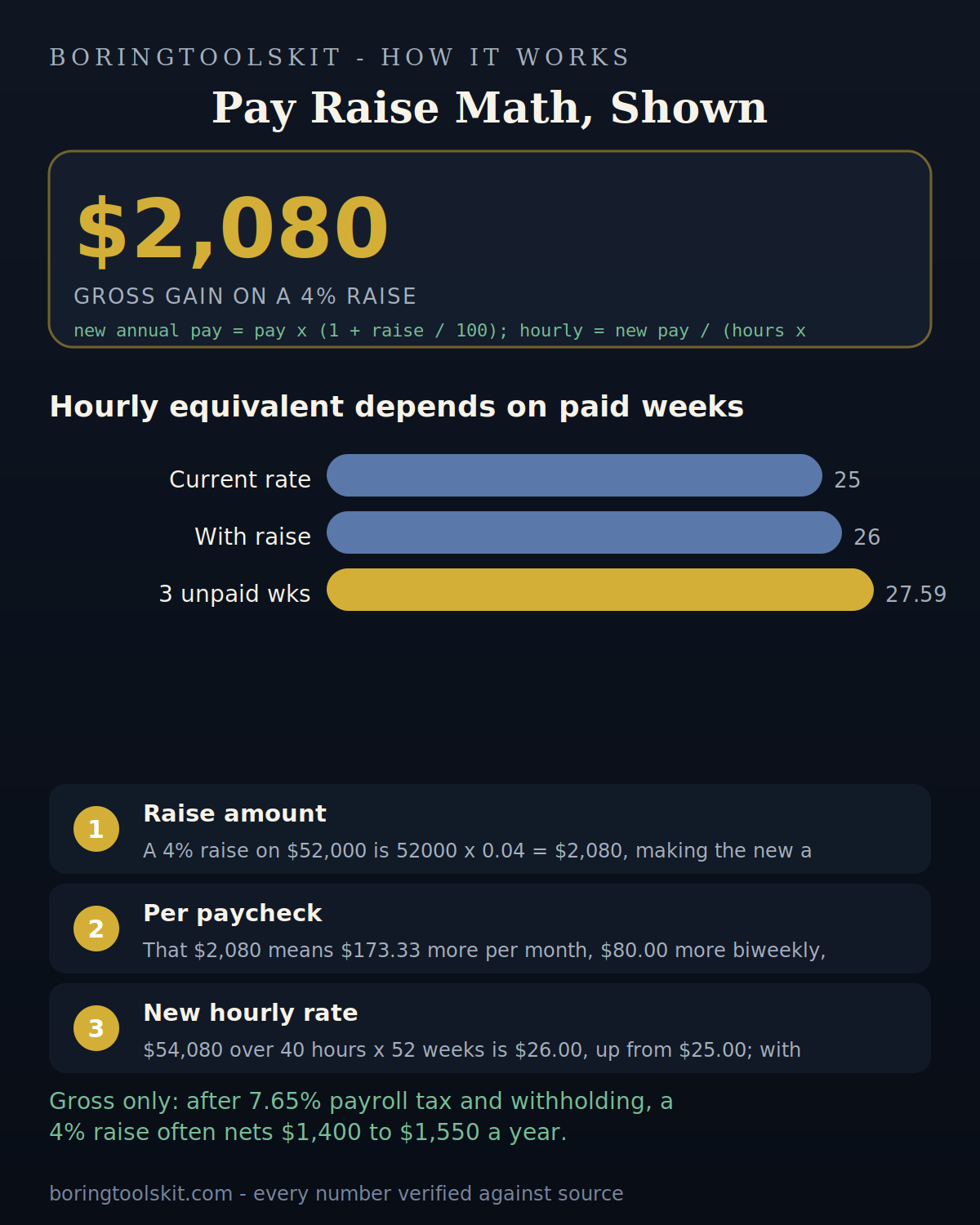
A salary raise converts to an hourly rate by dividing by annual working hours — typically 2,080 at 40 hours per week. A $5,000 raise is about $2.40 per hour. Converting both directions helps when comparing a salary offer against an hourly job or contract rate.

What to ask for instead of a raise

Sometimes the better negotiation is not a salary bump: extra PTO, remote days, a title change, tuition reimbursement, or a better 401(k) match can be worth more after tax than the same gross dollars. The calculator shows the raise math; the total-compensation view decides the ask.

How raises compound

A 5 percent raise this year and 4 percent next year is not a 9 percent cumulative raise — compounding makes it about 9.2 percent. Small annual raises compound into large differences over a career. The calculator makes the current-year math clear; the habit of negotiating annually makes the compounding real.

Transparent methodology

How this calculator works

Reviewed 2026-08-25 · BoringToolsKit Editorial Team

Formula

New salary = current × (1 + raise %). Raise amount = current × raise %. The tool also shows the new annual and monthly figures.

Worked example

A 5% raise on $50,000: new salary $52,500, an increase of $2,500/year.

Assumptions to verify

  • The raise applies to base salary.
  • No bonus or equity is included.
  • The percentage is annual.

Frequently asked questions

How do I calculate a pay raise?

Current × (1 + raise %): $50,000 × 1.05 = $52,500.

What is a typical raise?

3% annual cost-of-living is common; 5–10%+ for promotions and job changes.

Is 3% a real raise?

Only above inflation — a 3% raise at 3% inflation is a real zero.

How much is a 5% raise on my salary?

Current × 0.05: $50,000 → $2,500 more per year.

Should I negotiate?

Yes — especially for new offers. Know the market rate and your leverage.

Does this include bonuses?

No — the calculator models base salary. Total compensation is the full comparison.

What raise should I ask for?

Benchmark your role's market rate and ask for what closes the gap, plus your performance case.

How do I calculate my raise percentage?

Divide the dollar increase by the old salary and multiply by 100: $2,500 ÷ $50,000 = 5%.

What does a 5% raise on $60,000 look like?

It adds $3,000, making the new salary $63,000.

Is take-home the same as the raise amount?

No — tax withholding reduces the net increase; a $5,000 raise may add only $3,500 to take-home.

How do I compare a dollar raise to a percent raise?

Convert both to the same unit: dollars per year or percent of current salary.

Cite this tool

BoringToolsKit. “Salary Raise Calculator.” boringtoolskit.com/pay-raise-calculator/ (reviewed 2026-08-25). Free to reference in articles, syllabi, and answer posts with a link.

Privacy: Inputs and results stay in this browser. Any future sponsored recommendation or advertisement will be clearly labeled and kept separate from the calculation.