Calculated in your browser; your inputs are not sent to us. Privacy
Results update when you run the tool.
This tool processes the selected input in your browser. Review the output before relying on it; format and file behavior can vary by browser and source data.
Your inputs and results stay in this browser. This page may send privacy-bounded aggregate interaction events described in Privacy; it does not send your entered values or result contents.
Use this result
Share the current inputs or ask ChatGPT to explain the calculation in context.
More options
What does this converter do?
A 3,000 pixel image printed 10 inches wide is 300 dpi, the print-industry standard for sharp photos. The same file at 72 to 150 dpi is fine on screen but soft in print. Enter pixels and print width in the BoringToolsKit DPI calculator to find your maximum print size.
- 300 dpi is the widely used benchmark for photographic print quality. (Source: BoringToolsKit calculation methodology)
- Screens show about 72 to 150 dpi, which is why web images look soft printed large. (Source: BoringToolsKit calculation methodology)
- A 3000x2000 px image at 300 dpi prints a clean 10 x 6.7 inches. (Source: BoringToolsKit calculation methodology)
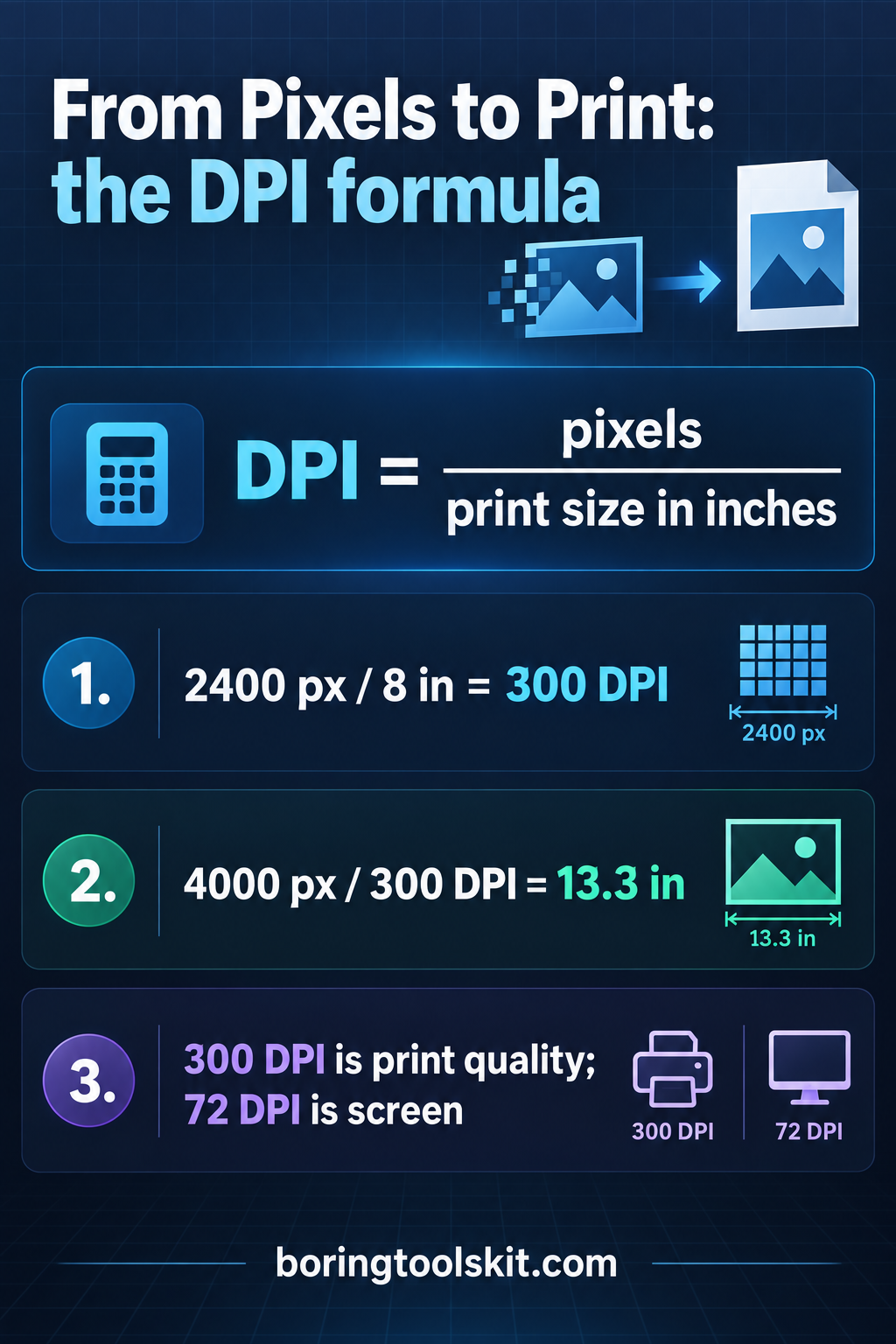
How this calculator works
Formula
DPI (PPI) = pixel width / printed width in inches.
Worked example
A 3,000 pixel image printed at 10 inches wide resolves 300 dpi, the standard for crisp photo prints.
Assumptions to verify
- DPI here means pixels per printed inch (technically PPI).
- Printer dot patterns differ from image pixel resolution.
Frequently asked questions
How many dpi do I need to print?
Aim for 300 dpi for crisp photo prints; 150 dpi is acceptable for posters viewed at a distance.
Is DPI the same as PPI?
Strictly, PPI describes image pixels per inch; DPI describes printer dots. The calculator uses pixel width over printed inches.
Cite this tool
BoringToolsKit. “DPI Calculator.” boringtoolskit.com/dpi-calculator/. Free to reference in articles, syllabi, and answer posts with a link.
Privacy: Inputs and results stay in this browser. Any future sponsored recommendation or advertisement will be clearly labeled and kept separate from the calculation.
Worked example: from pixels to print size
Take a photo that is 2048 pixels wide. You want it to print across the width of a 6.4 inch wide sheet, with 0.25 inch margins on each side of an 8.5 inch wide page, so the printable width is 8.5 - 2 x 0.25 = 8.0 inches. To use the full printable width you would enter 2048 pixels and 8.0 inches: 2048 / 8.0 = 256 dpi. That is below the 300 dpi print target, so the sheet-size print would show slight softness in fine detail.
Now shrink the print width. Enter 2048 pixels and 6.4 inches: 2048 / 6.4 = 320 dpi. Each pixel now occupies 1/320 of an inch, so the image prints 6.4 inches wide at print-shop quality. Reverse the relationship the same way: at 300 dpi, that 2048 pixel image supports 2048 / 300 = 6.83 inches of width. So the decision is not about the image at all; it is about choosing the physical size that keeps pixels per inch at or above your quality floor.
One more check: 3000 x 2000 pixels divided by 300 dpi gives 10 x 6.67 inches, which is the standard landscape photo print you can pull from that file without upscaling. Anything larger prints at a lower effective dpi, or needs upscaling, which adds pixels but no real detail.
Where the number stops being honest
The formula is exact for the ratio but loose for reality, and the edge cases show it. At zero the calculator refuses rather than divide: pixels of 0 and inches of 0 would mean 0/0, which is undefined, and the tool returns a 'check the inputs' message instead of a number. A negative input is rejected for the same reason; a 'negative dpi' has no physical meaning because you cannot have fewer than zero pixels or a negative physical width. Fractional inches are allowed and useful: 1200 pixels over 2.5 inches is exactly 480 dpi.
The output rounds to a whole dpi, so 2048 / 6.83 = 299.85 prints as 300. Good enough for sizing decisions, but if you are writing a spec that says 'minimum 300 dpi', check the raw division before you sign off, because 299.85 is not 300 by the strict reading.
The deeper limitation is that dpi and perceived sharpness are not the same thing. A 300 dpi image of an out-of-focus photo is still a bad print. Viewing distance changes the floor: a billboard at 15 dpi looks fine from 100 feet away, while a business card at 300 dpi can still show soft text under a loupe. And '72 dpi is for screens' is a stale convention from early Mac displays; modern screens run 90 to 160 pixels per inch, and the pixel dimensions, not the embedded dpi tag, determine how big an image looks in a browser. The dpi field in a file header is metadata; the calculator works from the two numbers that actually matter.