Enter a width and height to see the reduced aspect ratio (for example 16 : 9).
Updates automatically as you type.
Calculated in your browser; your inputs are not sent to us. Privacy
Calculation details
Planning estimate only, not financial, tax, or legal advice. Verify assumptions and current rules before making decisions.
This tool runs in your browser. Your calculator inputs and results are never transmitted to us or to ad/affiliate partners. Ads and sponsored links may set third-party cookies to serve and measure them, but they never receive your calculation values. If you explicitly save a scenario, its permitted fields stay in local browser storage until you clear them. See our Privacy Policy.
Use this result
Share the current inputs or ask ChatGPT to explain the calculation in context.
More options
What does this calculator estimate?
Aspect ratio calculator: get exact width and height dimensions for 16:9 video, images, and screens from any ratio. Free, private, runs in your browser.
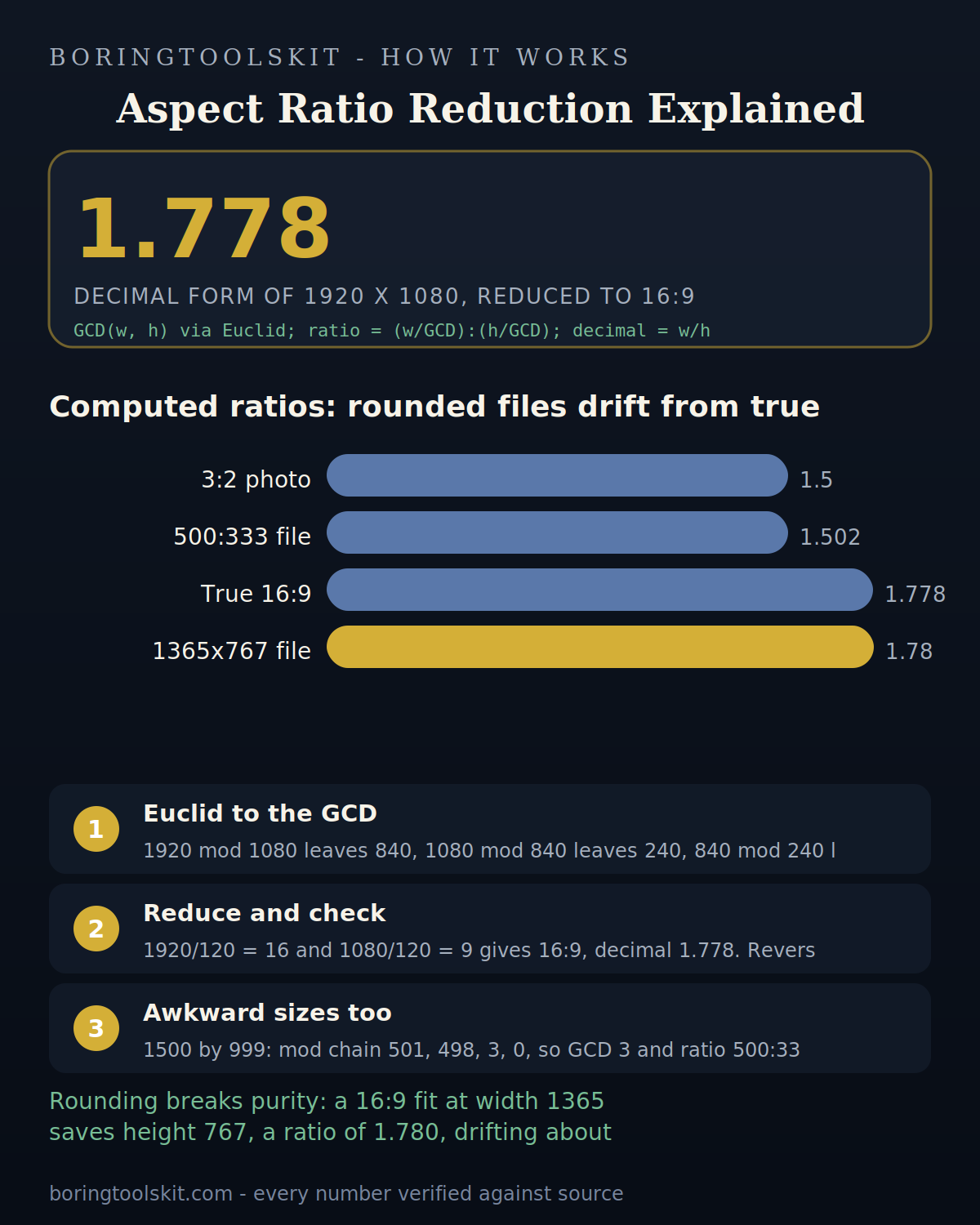
How this calculator works
Formula
Reduce width and height by their greatest common divisor; the ratio is width : height and the decimal value is width / height.
Worked example
1920 x 1080 reduces by GCD 120 to 16:9, or 1.778.
Frequently asked questions
What is an aspect ratio calculator and how does it work?
An aspect ratio calculator is a browser-based tool that computes the proportional relationship between the width and height of an image, screen, or design. Enter any two values (width and height, or one value plus a target ratio), and the calculator instantly returns the missing dimension or simplifies the ratio to its standard form.
Do I need to create an account or sign up to use this aspect ratio calculator?
No. This aspect ratio calculator is completely free, requires no signup, and runs entirely in your browser. Your data is never sent to a server or stored anywhere , everything is processed locally on your device for full privacy.
Can this aspect ratio calculator handle custom ratios for video, print, and web design?
Yes. The aspect ratio calculator supports standard ratios like 16:9, 4:3, and 21:9, as well as any custom ratio you enter. Simply input your desired width-to-height proportion, and it will calculate the corresponding dimensions for your specific use case.
Cite this tool
BoringToolsKit. “Aspect Ratio Calculator.” boringtoolskit.com/aspect-ratio-calculator/. Free to reference in articles, syllabi, and answer posts with a link.
Privacy: Inputs and results stay in this browser. Any future sponsored recommendation or advertisement will be clearly labeled and kept separate from the calculation.