ASCII Converter

ASCII converter: turn any text into ASCII character codes and convert ASCII codes back into readable text instantly. Free, private, in-browser, no signup.

Client-side only Nothing stored No account needed
Last verified July 2026

Calculated in your browser; your inputs are not sent to us. Privacy

Results update when you run the tool.

Output will appear here.
Ask an AI to explain this result
Share this result

This tool processes the selected input in your browser. Review the output before relying on it; format and file behavior can vary by browser and source data.

Your inputs and results stay in this browser. This page may send privacy-bounded aggregate interaction events described in Privacy; it does not send your entered values or result contents.

Use this result

Share the current inputs or ask ChatGPT to explain the calculation in context.

More options
Report a calculation issue
Direct answer

What does this converter do?

ASCII converter: turn any text into ASCII character codes and convert ASCII codes back into readable text instantly. Free, private, in-browser, no signup.

  • Printable ASCII spans codes 32-126; "A" is 65, "a" is 97, and "0" is 48.
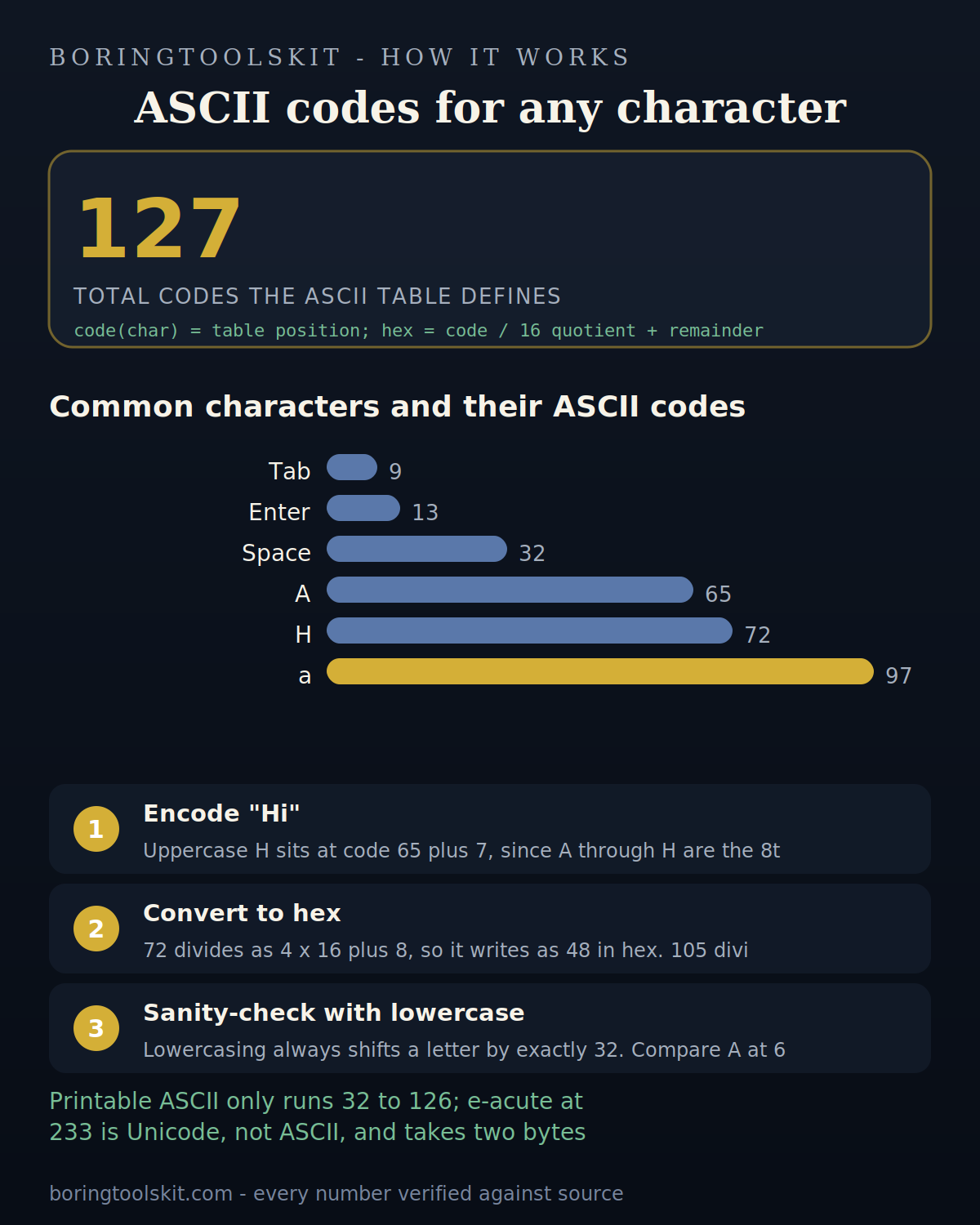
Bar chart of common ASCII codes from tab to lowercase a
ASCII spans 0 to 127, and printable text only starts at 32.
Formula & evidence

How this calculator works

Reviewed 2026-09-20 · BoringToolsKit Editorial Team

Formula

ASCII code = the character code unit returned for each input character (String.charCodeAt). Printable ASCII runs 32-126, so "A" = 65 and "a" = 97; codes outside that range are control or extended characters.

Sources

Sources support the method, terminology, or planning context. Editable assumptions remain your responsibility.

Assumptions to verify

  • Inputs are treated as exact decimal values.
  • Standard (not historical or survey) unit definitions are used.
  • The calculation uses the factors at the precision shown in the formula panel; rounding beyond that is display-only and adds no accuracy.

Frequently asked questions

Why do letters and symbols give different code ranges?

Printable ASCII occupies 32-126: digits start at 48 ("0"), uppercase A at 65, lowercase a at 97. Codes below 32 are control characters (tab, newline) and are not printable text.

Cite this tool

BoringToolsKit. “ASCII Converter.” boringtoolskit.com/ascii-converter/ (reviewed 2026-09-20). Free to reference in articles, syllabi, and answer posts with a link.

Privacy: Inputs and results stay in this browser. Conversion runs locally in your browser; review the output before relying on it.

Worked example: encoding the two characters in "Hi"

Type Hi and the tool looks up each letter's position in the ASCII table. Uppercase H sits at code 65 plus 7, since A through H are the 8th letter slot, giving 72. Lowercase i is 97 plus 8, giving 105. The converter therefore returns 72, 105.

The hexadecimal view follows by base conversion. 72 divides as 4 x 16 plus 8, so it writes as 48 in hex. 105 divides as 6 x 16 plus 9, so it writes as 69. The page shows 48 69 (hex), which is exactly the byte pair a text file would store for "Hi".

One sanity check worth knowing: lowercasing always shifts a letter by exactly 32. 105 minus 72 is 33 because H and i are different letters; compare A at 65 and a at 97 and the 32 gap holds. In hex that gap is 20, since 41 plus 20 equals 61.

Limits: what ASCII does not cover

The table only defines codes 0 through 127. Codes 0 to 31 and 127 are control characters with no visible glyph: pressing Enter produces 13 (carriage return) and a tab produces 9, so the converter happily returns numbers for invisible input. Anything pasted beyond that range, such as e-acute at 233 or the euro sign, is not ASCII at all; those are Unicode code points whose byte encoding depends on UTF-8, where e-acute takes two bytes (195, 169) rather than one.

Case and symbols are fixed by the table, so there is no ambiguity to configure, but whitespace is a real input to count: a space is 32, and a trailing space typed by accident silently adds 32 to the output. For text longer than a few characters, remember the numbers are decimal; a hex dump of the same string will look different unless you convert, so pick one base before comparing outputs against documentation.